By eSIM Grab ·
Personal SIM, work SIM and a travel eSIM: what if both numbers need to stay on?
A phone can store another eSIM without being able to use three lines together. Decide which services must remain available before choosing where your travel data will run.
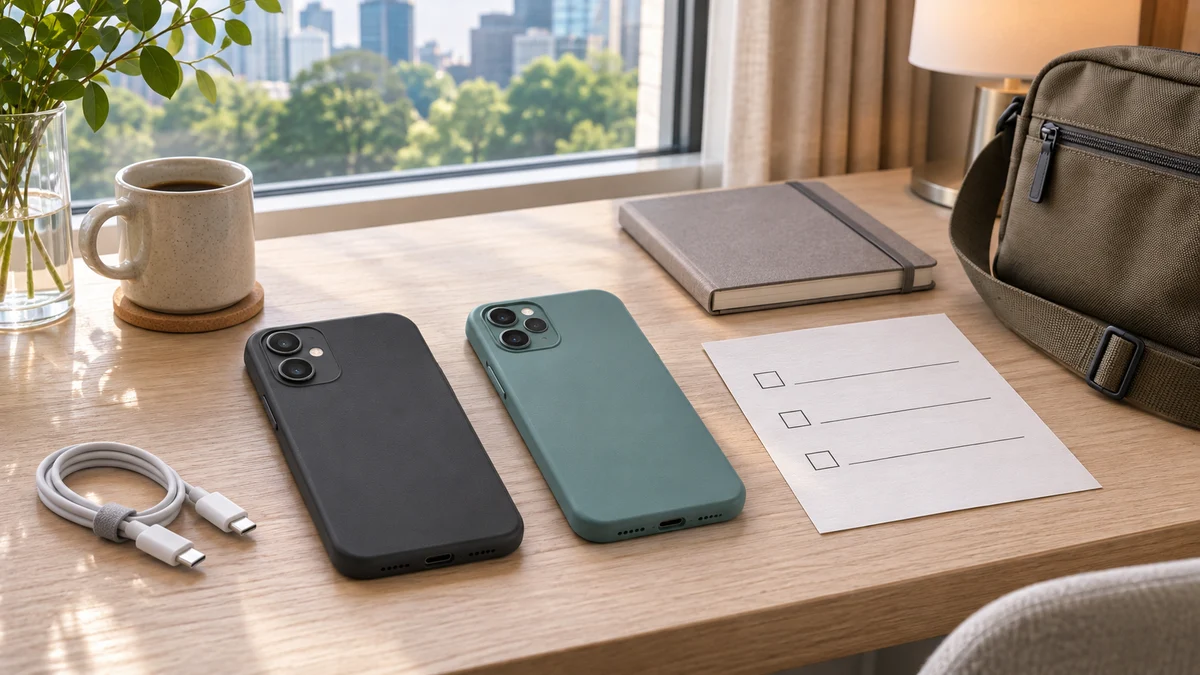
Your personal and work numbers already share one phone. A travel eSIM looks like an easy way to add cheaper data, until the phone asks which existing line to turn off. If you need both numbers, choosing the cheapest package is the second decision. First decide where that extra connection can run without losing a service you need.
This guide addresses phones limited to two active lines. Sources were checked on November 4, 2026. Device combinations, carrier support and workplace rules vary. The planning examples are hypothetical; they are not field-tested connectivity guarantees.
1. Check active lines, not just stored profiles
Apple describes Dual SIM as two active numbers or SIMs, with one cellular data network in use at a time. Using a supported physical SIM alongside an eSIM still uses the two-line combination; it does not provide a third active line. Supported iPhone 13 and later models can use two eSIMs; check the regional model and carrier conditions. A corporate service also warrants checking with its administrator. Apple’s Dual SIM guidance
Google allows two eSIM profiles together on Pixel 7, Pixel 7 Pro and later when the carrier permits it. Other combinations depend on the device and carrier. Do not turn that into a rule for every Android phone. Check the exact model before purchase, especially if both existing services are already eSIMs. Google’s Pixel guidance
Swipe or scroll to see all columns.
| Question | What it establishes |
|---|---|
| Is the profile installed? | It is saved on the device, not necessarily enabled. |
| Is the line enabled? | It is selected for use, subject to the phone’s supported combination and available service. |
| Which line supplies mobile data? | It identifies the selected cellular internet connection, not every number that may be needed. |
2. Start with the services you cannot lose
Swipe or scroll to see all columns.
| Service | Must remain available? | What to verify |
|---|---|---|
| Personal number | Calls: ___; SMS: ___ | Carrier service at the destination and any permitted alternative. |
| Work number | Calls: ___; SMS: ___ | Employer’s availability requirements and approved arrangements. |
| Internet access | Maps, bookings and other tasks: ___ | Which device and connection will provide it. |
| Work applications | Required applications: ___ | Whether the chosen connection and device are approved. |
Fill in calls and SMS separately. “I need my work phone” might mean a chat application, ordinary incoming calls, or both. Those needs lead to different choices. If both existing lines must remain enabled, do not build the plan around temporarily switching one off whenever a message is expected.
3. Compare the arrangement before the data package
Swipe or scroll to see all columns.
| Arrangement | Where internet comes from | Main trade-off |
|---|---|---|
| Keep both lines; use an existing roaming service | One existing line under its destination-specific terms. | Check allowance, price and permitted use. Another eSIM may be unnecessary. |
| Keep both lines; use a separate hotspot device | A suitable second device carrying its own travel connection. | Requires compatible equipment, permitted tethering, power and an available Wi-Fi link. |
| Temporarily disable one line; use travel data on this phone | The travel eSIM replaces one enabled line. | Only suitable if the disabled line’s loss of ordinary service is acceptable. |
For example, imagine a traveler whose personal SMS and work calls are both required. Switching the work line off would fail that requirement even if maps worked perfectly. Comparing an approved roaming option with a separate hotspot arrangement is more relevant than comparing three travel packages that all need the same occupied place.
Apple advises checking whether an existing plan includes the destination or offers a travel pass. Obtain the terms for the actual line, including corporate restrictions. Compare the allowance and total cost with the other feasible arrangement; do not assume a separate travel eSIM must be cheaper. Apple’s international-travel options
Apple documents sharing an iPhone’s cellular connection with another iPhone or Wi-Fi device, subject to carrier support and possible fees. That makes a second-device hotspot an option to investigate: the main phone’s two lines can remain enabled while internet arrives over Wi-Fi. The travel profile stays on the host device. Verify that exact device and package permit sharing, and account for charging and separation between devices. This does not guarantee either number’s service abroad. Apple’s Personal Hotspot guide
4. Two enabled lines do not guarantee every call
Apple documents conditions for receiving a call on the other line while one call is underway, including carrier Wi-Fi Calling support and relevant data-switching settings. Google distinguishes Pixel 8/8 Pro and earlier from Pixel 8a and later; the newer behavior has additional settings and carrier requirements. Ask about your combination. Do not blindly enable or disable automatic data switching without understanding its effect on charges and call availability.
Forwarding is another separate service, not a way to create an extra active SIM. For example, Verizon says its call forwarding does not forward text messages and cannot be set up while traveling internationally. Its destination-number rules and charges also apply. Other carriers need their own check. Verizon’s call-forwarding FAQ
A successful work chat or browser session proves that application reached the internet. It does not prove that an ordinary call or SMS can reach either existing number. Keep those results separate rather than marking the whole setup “working” after one app opens.
5. Test the chosen arrangement before departure
- Confirm the exact handset, regional variant and supported active-line combination.
- Label the existing lines clearly and record which services each must provide.
- Confirm destination service, charges and any employer approval with the relevant operator or administrator.
- Check ordinary calls and SMS for each required number through an agreed test. Do not request real banking codes just to test the setup.
- Test a normal webpage and required applications over the chosen connection. For a hotspot, check the receiving device as well as the host.
- Save the approved settings and support contacts somewhere accessible without mobile data.
These checks establish only what worked under the conditions tested. A successful home test does not prove destination coverage or foreign roaming availability. Follow the travel provider’s installation and activation instructions; testing must not depend on an assumption that a purchased plan can be used before arrival.
6. Keep the arrangement visible during the trip
Recheck the selected connection after changing a line or device. If the hotspot is unavailable, do not assume the main phone will use an affordable alternative. Pause nonessential online tasks and use the fallback you actually arranged. Keep activation QR codes and account passwords out of shared troubleshooting notes.
Can a data-only travel eSIM replace either existing number?
Do not count internet access as a replacement for ordinary calls or SMS to a particular number. If verification is the reason a line must remain available, our bank-verification guide separates incoming messages, outgoing verification SMS and application access.
Should I delete an old eSIM to make room?
First distinguish a storage problem from an active-line limit. Google documents temporary disabling separately from erasing a profile. Do not delete a needed personal or employer line as a shortcut. If a travel profile has already been deleted, check the purchase-specific options in our eSIM recovery guide.